
About five years back, I messed up pretty badly on a gym website project because we skipped website content planning entirely. The owner was pumped about getting something that looked modern, so we jumped straight into design. Who wouldn’t want to see their site looking sharp, right?
3 months in, we had this gorgeous site – sliding images, animations, colors that really popped. Then we started putting in the actual words and info people would read. Nothing fit. That header we spent days perfecting? Way too small for their actual headline. Those service boxes we designed? They had twice as many services as we accounted for. It’s like buying a picture frame when you don’t even know what size photo you’ve got.
That mess taught me something nobody bothered telling me before: your content can’t just be stuffed into a design after the fact. Website content planning is gotta be the thing you build around.
Read More: Local SEO for Electricians: 10 Proven Strategies to Dominate Your Service Area
What Is Website Content Planning?
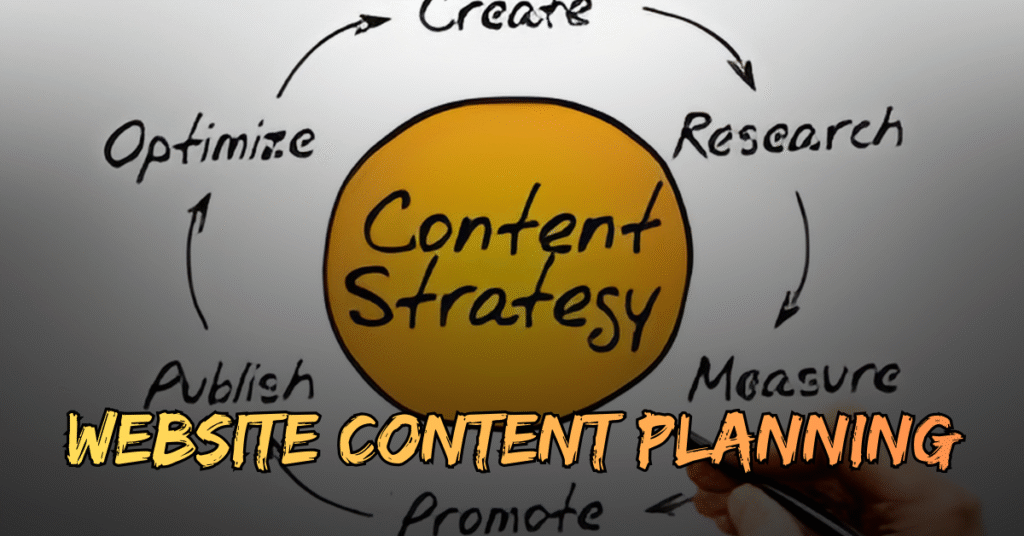
That’s what content strategy is for websites. Figure out what needs saying, who’s listening, and how to organize everything – before anybody picks colors or fonts.
Stuff like:
- What pages you actually need, not what sounds cool
- The message for each page
- How much you’re writing is a few lines or thousands of words?
- What pictures or videos go where
- How someone moves through the site to find stuff
Yeah, it’s less fun than looking at pretty mockups, but you gotta do it.
Why Skipping Website Content Planning Causes Problems
When you skip content planning and go straight to design, here’s what goes wrong. Seen it a million times.
The designer makes something nice based on guesses. Maybe they think you’ve got three services, so they design three boxes. But you’ve got seven services. Now you’re stuck. Cram them in? Make the boxes smaller and uglier? Add another row that looks weird? All bad options.
Or this: a designer makes a minimalist layout with tons of space because that’s trendy. But your business needs to explain a bunch of stuff – maybe healthcare or legal stuff where details matter. That minimalist design fails, and you’re choosing between looking slick and being useful.
One time, I worked with a financial advisor who loved this one-page scrolling site. Looked slick in the demo. Then we tried fitting in legal disclaimers, privacy stuff, and actual service details… total disaster. We redesigned huge chunks, which cost more time and more money.
Worst part? It kills everyone’s excitement. The project starts great, then you’re redoing things because the content doesn’t fit, people get annoyed, and everything drags on forever.
Starting With Website Content Planning Changes Things
Flip it around – start with content first – and everything gets easier. Not saying it’s simple, figuring out content takes work. But the design goes way smoother.
Here’s how it works. Before touching design software, sit down and map what you need to say. What’s your homepage really about? What do people need to know about your services? What questions do customers always ask? What steps do they take to hire you?
Get that figured out, write it down. You’ll know how many sections make sense. You’ll understand what info matters most.
Then the designer starts working; they’re not guessing anymore. They’re designing around actual content with real needs. Result? A site that works for your business instead of just looking pretty.
5 Essential Steps for Website Content Planning
There’s no perfect formula here. Every business is different. But some things you gotta figure out before designing starts.
1. Website Content Planning: Know Your Audience Inside Out
First, know your audience. Really know them – not just small business owners or people needing lawyers. What problems bug them? What questions keep them up late? What words do they type when searching for help? This shapes everything you write and makes your website content planning actually useful.
2. Website Content Planning: Map Every Single Page
Second, map your site pages. List or draw every page you’ll need. Don’t just think main pages – also FAQ pages, case studies, blog posts, resource stuff. Navigation’s way easier to design when you know what goes in it. This step in website content planning saves tons of back-and-forth later.
3. Website Content Planning: Define Each Page’s Purpose
Third – this matters a lot: write the main point for each page. What should someone understand or do after reading it? Can’t answer that? The page probably doesn’t need to exist. A clear purpose makes your content planning way more focused.
4. Website Content Planning: Be Realistic About Content Volume
Fourth, be real about the amount. Service descriptions: two sentences or two paragraphs? Five testimonials or fifty? This changes layout decisions big time. Knowing your content volume is a huge part of website content planning that people forget.
5. Website Content Planning: Plan Your Calls to Action
Think about calls to action, too. What should people do on each page? Call? Fill forms? Download something? Buy stuff? Design has to support these goals, but designers can’t do that when they haven’t figured goals yet.
What Nobody Tells You About Website Content Planning
There’s no perfect formula here. Every business is different. But some things you gotta figure out before designing starts.
First, know your audience. Really know them – not just small business owners or people needing lawyers. What problems bug them? What questions keep them up late? What words do they type when searching for help? This shapes everything you write.
Second, map your site pages. List or draw every page you’ll need. Don’t just think main pages – also FAQ pages, case studies, blog posts, resource stuff. Navigation’s way easier to design when you know what goes in it.
Third – this matters a lot: write the main point for each page. What should someone understand or do after reading it? Can’t answer that? The page probably doesn’t need to exist.
Fourth, be real about the amount. Service descriptions: two sentences or two paragraphs? Five testimonials or fifty? This changes layout decisions big time.
Think about calls to action, too. What should people do on each page? Call? Fill forms? Download something? Buy stuff? Design has to support these goals, but designers can’t do that when they haven’t figured goals yet.
Making Website Content Planning Actually Happen
I know what you’re thinking – this sounds like a lot of extra work upfront. And yeah, it is. But it’s way less work than redesigning stuff later or launching a website that doesn’t actually help your business.
Start simple. Open a document and just brain dump everything you think your website needs to say. Don’t worry about making it pretty or even organized at first. Just get it out of your head.
Then organize it into logical groups. What belongs together? What’s most important? What’s the supporting information?
Read More: Top Content Marketing Companies in the USA
The Bottom Line on Website Content Planning
I’ll be straight with you – most people want to skip this step. It’s not as exciting as looking at design concepts. It requires real thinking about your business and your customers. It takes time.
But every single project I’ve worked on that started with a solid content strategy turned out better. The designs were more effective, the projects stayed on budget, and the websites actually helped the business grow.
So yeah, do the content work first. Future you will thank you for it. And your designer will definitely thank you for it.